Installing a DIY lithium battery BMS requires careful planning and precise execution to guarantee safety and performance. We recognize the importance of selecting the appropriate BMS, preparing components correctly, and following proper wiring procedures. Each step impacts the system’s reliability and longevity, making attention to detail essential. As we explore the process together, you’ll find that comprehending these critical elements is key to a successful installation that meets your specific needs.
Key Takeaways
- Select a BMS compatible with your battery chemistry, voltage, and current requirements.
- Carefully wire balance and main connections, verifying each with a multimeter before powering.
- Test system functionality post-installation, checking for proper voltage, balancing, and fault responses.
- Perform regular maintenance, monitor temperatures, and ensure secure wiring to prevent damage.
- Troubleshoot connection issues systematically and avoid common mistakes like incorrect wiring or overlooked calibration.
What Is a Lithium Battery BMS and Why Do You Need It?
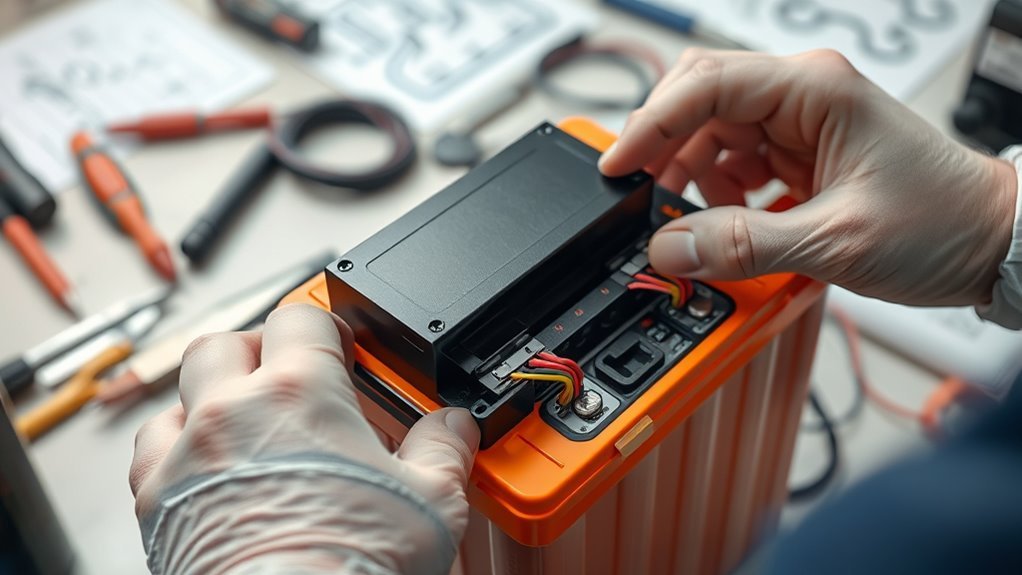
A Lithium Battery BMS (Battery Management System) is an electronic circuit that monitors and manages the performance of individual cells within a battery pack. It guarantees safety and longevity by continuously tracking parameters such as voltage, current, and temperature. The BMS is essential due to the specific battery chemistry, which influences ideal charging protocols and safety thresholds. Proper management of charging protocols prevents overcharging and deep discharging, both of which can damage cells or cause safety hazards. The BMS balances cell voltages, detects faults, and protects against thermal runaway. Without it, the battery’s performance becomes unpredictable, risking damage or failure. Consequently, integrating a BMS tailored to your battery chemistry and charging protocols is critical for reliable, safe operation of your lithium battery pack.
How to Choose the Right BMS for Your Lithium Battery Pack
Choosing the right BMS for your lithium battery pack requires careful consideration of several technical specifications to guarantee compatibility and safety. First, confirm the BMS matches your battery chemistry, whether it’s Li-ion, LiFePO4, or another type, as each chemistry has distinct voltage and current parameters. Verify that the BMS’s voltage and current ratings align with your pack’s configuration. Charger compatibility is also critical; select a BMS that supports your charging system’s voltage and current specifications to prevent overcharging or undercharging. Additionally, verify that the BMS can handle the maximum discharge current your application demands. Proper matching of battery chemistry and charger compatibility ensures efficient performance, safety, and longevity of your lithium battery pack.
Prepare Your Battery and Components for BMS Installation
Before installing the BMS, we must carefully prepare the battery and components to guarantee a safe and efficient process. First, verify the battery chemistry, ensuring it matches the BMS specifications, as different chemistries (LiFePO4, Li-ion, etc.) require specific configurations. Next, assess component compatibility, confirming that all connectors, terminals, and wiring are rated for the current and voltage levels involved. Inspect the battery for uniform cell voltage and capacity, balancing cells if necessary before BMS integration. Proper labeling of individual cells and connection points minimizes errors during wiring. Ensuring these preparatory steps helps prevent potential safety hazards and optimizes battery performance, providing a reliable foundation for successful BMS installation.
Wire Your BMS Step-by-Step
We begin wiring the BMS by gathering all necessary tools to guarantee a smooth process. Next, we connect the balance wires to their corresponding cells, following the manufacturer’s wiring diagram meticulously. Finally, we verify each connection to confirm proper wiring before proceeding to testing.
Gather Required Tools
To guarantee a smooth wiring process, gather all necessary tools and components before beginning the BMS installation. Ensuring proper tools minimizes risks associated with incorrect connections, especially considering the battery chemistry and charge regulation requirements. Essential tools include a multimeter, wire strippers, crimping tools, and appropriate gauge wires. Additionally, double-check that you have the correct BMS specific to your battery chemistry for optimal charge regulation.
| Tool/Component | Purpose |
|---|---|
| Multimeter | Verify connections and voltage levels |
| Wire Strippers & Crimpers | Prepare and secure wiring |
| Correct Gauge Wires | Handle current safely and efficiently |
| BMS Specific to Chemistry | Ensure proper charge regulation and safety |
Connect Balance Wires
Connecting the balance wires is a critical step to guarantee proper cell monitoring and safe operation of the battery pack. Accurate wiring ensures that each cell’s voltage is correctly measured, preventing overcharging or over-discharging, which is essential for battery safety. Follow the wiring color coding provided with your BMS—typically, each wire corresponds to a specific cell or cell group. Use a multimeter to verify connections before powering up. Precise wiring minimizes the risk of shorts or incorrect readings, which could compromise the system’s integrity. Always double-check the wiring sequence and verify that each balance wire is securely connected to its designated cell terminal. Proper connection of balance wires is fundamental to maintaining battery health and assuring safe, reliable performance.
Verify Proper Wiring
After completing the wiring process, it’s crucial to verify that each balance wire is correctly connected to its designated cell or cell group. Proper wiring alignment is critical to guarantee accurate voltage monitoring, especially considering the specific battery chemistry involved. Incorrect connections can lead to inaccurate cell balancing, risking thermal runaway and compromising charging safety. Use a multimeter to check each wire’s voltage against expected values, confirming that connections correspond to the correct cell groupings. Double-check all wiring diagrams and labels, paying close attention to the BMS documentation. Ensuring precise wiring not only optimizes performance but also minimizes safety hazards during charging and discharging cycles. Accurate verification safeguards the battery system’s integrity, reducing the risk of damage or failure caused by miswiring or imbalance.
Set Up and Configure Your BMS Settings
Once you have physically installed the BMS, the next critical step involves setting up and configuring its parameters to guarantee peak performance and safety. We start by selecting the correct battery chemistry, such as lithium iron phosphate or lithium nickel manganese cobalt, to ensure the BMS applies appropriate voltage and current limits. Configuring charging protocols is equally vital; this involves setting the proper charge voltage, current limits, and balancing thresholds aligned with the specific chemistry. Accurate calibration of cell voltage and temperature sensors ensures the BMS responds correctly to operational variations. Proper configuration prevents overcharge, overdischarge, and thermal issues, maintaining battery health. This precise setup optimizes longevity and safety, forming the foundation for reliable, efficient operation of your DIY lithium battery system.
Test Your BMS Installation for Safety and Performance
To guarantee safety and ideal performance, we first verify all wiring connections are correct and secure. Next, we perform functional performance tests to confirm the BMS responds appropriately under load conditions. These steps are critical to identify any issues before deploying the battery system.
Verify Proper Wiring Connections
Before powering up the battery system, we must verify that all wiring connections are correct and secure. Confirming proper wiring is crucial for battery safety and BMS performance. We carefully cross-reference each connection against the wiring diagrams provided by the BMS manufacturer, confirming correct polarity and terminal placement. Use a multimeter to verify continuity and that no wires are loose or damaged. Double-check that all connections adhere to the specified gauge and insulation standards. Properly secured connections prevent short circuits and overheating, which are essential for safety. Accurate wiring verification minimizes the risk of component failure and ensures reliable BMS operation. Taking these precautions guarantees that the system is both safe and optimized for performance before energizing the battery pack.
Conduct Functional Performance Tests
After completing the wiring verification, we conduct functional performance tests to guarantee the BMS operates safely and reliably under real-world conditions. These tests evaluate key parameters, including voltage balancing, overcurrent protection, and temperature regulation. We monitor each cell’s voltage to ensure proper balancing, which directly influences battery longevity. Charging efficiency is assessed by observing charge and discharge cycles, confirming the BMS prevents overcharging or deep discharging. We also verify the BMS’s response to fault conditions, ensuring it disconnects power promptly to prevent damage. Accurate testing ensures the BMS maintains peak performance, extending battery lifespan and preserving charging efficiency over time. Performing these steps confirms that the entire system functions correctly, providing safe, reliable operation in practical applications.
Common Mistakes to Avoid During BMS Installation
While installing a BMS for a lithium battery pack, overlooking critical connections and calibration steps can lead to system failure or reduced battery life. Proper understanding of battery chemistry is essential to select the correct BMS and implement appropriate safety precautions. Failing to double-check wiring connections or misinterpreting voltage readings can cause imbalance or damage. Calibration errors may result in inaccurate state-of-charge readings, risking over-discharge or overcharge. To avoid these mistakes, review the connection diagram thoroughly and verify each wire’s purpose before powering up.
| Mistake | Consequence |
|---|---|
| Ignoring battery chemistry info | System inefficiency or damage |
| Skipping calibration steps | Inaccurate monitoring, safety risk |
Maintain Your BMS for Long-Term Reliability
To guarantee long-term reliability, we must regularly perform system checks to identify potential issues early. Maintaining secure, corrosion-free connections and verifying contact integrity are essential for consistent operation. Additionally, implementing proper cooling measures prevents overheating and sustains ideal BMS performance over time.
Regular System Checks
How often should we verify the integrity of our lithium battery BMS to guarantee peak performance? Regular system checks are critical, especially considering the battery chemistry and the number of charging cycles endured. We recommend inspecting the BMS at least quarterly, or after every 50-100 charging cycles, to ensure optimal operation. Key aspects to monitor include:
- Cell voltage consistency to prevent imbalance
- Temperature readings for overheating risks
- Connection integrity to avoid resistance issues
- Firmware updates for accurate management
These checks help identify potential failures early, maintaining system efficiency and longevity. Consistent monitoring ensures the BMS functions reliably over the battery’s lifespan, accommodating variations in charging cycles and battery chemistry that could impact performance.
Proper Connection Maintenance
Maintaining proper connection integrity is essential for ensuring the long-term reliability of your BMS. Consistent inspection of wiring and connectors is critical, especially considering the specific battery chemistry involved, as different chemistries may have unique electrical characteristics. Secure, corrosion-free connections prevent voltage drops and minimize resistance, reducing the risk of thermal issues. Adhering to safety protocols during maintenance—such as disconnecting power sources and wearing appropriate PPE—ensures safe handling. Regularly check for loose terminals, damaged cables, or signs of wear, and replace components as needed. Proper connection maintenance not only preserves accurate cell monitoring but also safeguards against potential safety hazards like short circuits or thermal runaway, ultimately extending your BMS’s effective lifespan and ensuring safe, reliable operation.
Adequate Cooling Measures
Ever wondered why temperature regulation is critical for your BMS’s longevity? Effective thermal management guarantees the BMS operates within ideal temperature ranges, preventing overheating that can degrade components. Proper cooling techniques are essential for maintaining system stability and safety during high current loads or prolonged use. To enhance thermal management, consider the following:
- Implement active cooling systems like fans or liquid cooling for high-power setups
- Use thermally conductive materials such as thermal pads or heat sinks to disperse heat effectively
- Ensure proper ventilation around the battery pack and BMS enclosure
- Regularly monitor temperature sensors to detect overheating early
Applying these cooling techniques helps preserve BMS performance, extends lifespan, and ensures reliable operation over time. Proper thermal management is an integral part of maintaining your lithium battery system’s integrity.
Troubleshoot BMS Issues and Update Firmware
When troubleshooting BMS issues and updating firmware, we begin by systematically diagnosing common problems such as communication failures, inaccurate voltage readings, or improper balancing. Confirming BMS compatibility with your battery pack is vital; incompatible systems can cause persistent errors. We also verify that wiring connections are secure and correct. Firmware updates often resolve bugs or improve performance but require careful procedures. To visualize, consider this table:
| Issue | Cause | Solution |
|---|---|---|
| Communication failure | Outdated firmware or incompatible BMS | Update firmware, check compatibility |
| Voltage mismatch | Faulty connections or aging cells | Recheck wiring, replace faulty cells |
| Balancing issues | Improper calibration | Reset BMS, recalibrate balancing |
Proper troubleshooting minimizes battery recycling needs and guarantees maximum system performance.
Final Tips for a Successful DIY Lithium Battery BMS Setup
To guarantee a successful DIY lithium battery BMS setup, we must prioritize thorough planning and meticulous execution throughout the installation process. Understanding the specific battery chemistry is essential, as it influences voltage limits, temperature thresholds, and safety parameters. Equally important are defining proper charging protocols to prevent overcharging or deep discharging, which can compromise longevity.
Thorough planning and understanding battery chemistry are key to safe, effective DIY lithium battery BMS setup.
Key considerations include:
- Verifying compatibility between BMS and battery chemistry
- Ensuring wiring connections are secure and correctly rated
- Configuring BMS parameters accurately for your specific chemistry and charging protocols
- Conducting extensive testing before operational use
Attention to these details ensures maximum performance, safety, and longevity of your lithium battery system.
Frequently Asked Questions
Can I Install a BMS on an Existing Battery Pack?
Yes, we can install a BMS on an existing battery pack, but we must verify battery compatibility and consider installation challenges, such as ensuring proper wiring and balancing, to prevent damage and optimize performance.
How Often Should I Check BMS Performance?
We monitor BMS performance monthly using precise monitoring methods like voltage and temperature checks, ensuring ideal battery lifespan. Regular assessments help detect issues early, maintain efficiency, and prevent potential failures in your DIY lithium battery system.
Is a BMS Necessary for Small DIY Lithium Batteries?
Absolutely, a BMS is essential for small DIY lithium batteries because it guarantees battery monitoring and charge balancing, preventing overcharge, deep discharge, and potential thermal issues—safeguarding your project’s longevity and performance with precise, technical control.
What Safety Precautions Are Essential During BMS Installation?
We prioritize battery safety by wearing insulated gloves and eye protection, ensuring proper electrical hazard awareness, disconnecting power sources before installation, and following manufacturer instructions meticulously to prevent shorts, sparks, or damage during BMS installation.
Can I Upgrade or Replace My BMS Later?
We can upgrade or replace our BMS later, but careful attention to battery compatibility guarantees seamless integration and preserves warranty considerations. We recommend consulting manufacturers’ guidelines to maintain system integrity and avoid potential issues during future modifications.
Conclusion
As we navigate the intricate wiring and precise configurations, remember that a well-installed BMS is the guardian of your battery’s importance—like a vigilant lighthouse guiding a ship through stormy seas. Attention to detail transforms complexity into confidence, ensuring your DIY project stands the test of time. With careful planning and diligent maintenance, your lithium battery system will operate smoothly, powering your ambitions reliably, and illuminating your mastery in this technical journey.